


Description
Download Android SDK Platform-Tools (ADB) – ADB, fastboot, Android SDK, command-line, developer tools, system debugging, device management
Overview
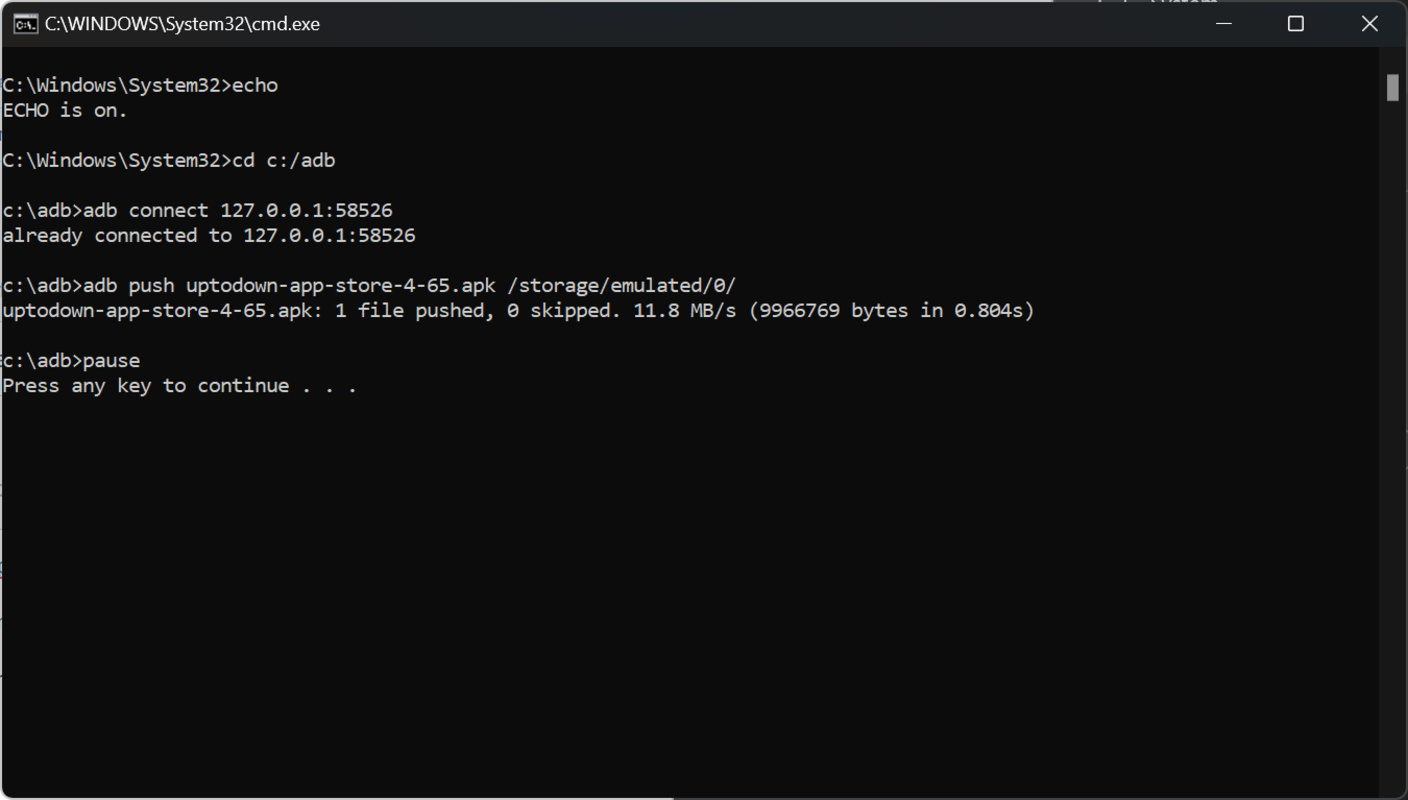
Android SDK Platform-Tools (ADB) is a critical component of the Android Software Development Kit, designed to provide low-level command-line utilities for interacting with Android devices and emulators. The primary tools included—adb (Android Debug Bridge) and fastboot—are essential for developers who need direct access to device systems, whether for debugging, testing, or system-level modifications. ADB enables communication between a development machine and an Android device, allowing actions such as installing applications, transferring files, and executing shell commands. Fastboot, on the other hand, operates at a lower level, enabling users to flash system images, unlock bootloaders, and perform firmware-level operations—key tasks during device development or recovery.
This toolset is particularly valuable for developers who prefer command-line workflows over integrated development environments (IDEs), or those working in environments where Android Studio is not installed. While Android Studio includes its own bundled version of Platform-Tools, this standalone download ensures access to the latest version without relying on the IDE’s update cycle. The package also reflects Google’s ongoing commitment to maintaining backward compatibility, ensuring that newer versions of adb and fastboot continue to support older Android devices and workflows.
Although the developer did not provide additional technical details about specific use cases, the tool’s role in the Android ecosystem is well-established. It serves as a foundational utility for developers, testers, and advanced users involved in device management, system debugging, and firmware development. Its presence underscores the importance of accessible, reliable, and secure command-line tools in the broader mobile development landscape.
Key Features & Functionality
- adb (Android Debug Bridge): Facilitates real-time communication between a computer and an Android device. Allows developers to install APKs, run shell commands, pull logs, and access device file systems.
- fastboot: Enables low-level device operations such as unlocking the bootloader, flashing partitions, and updating system images. Critical for custom ROM development and device recovery.
- Backward Compatibility: Newer versions of the tools maintain support for older Android versions, reducing the need for multiple tool versions across projects.
- Command-Line Interface: Designed for scriptability and automation, making it ideal for CI/CD pipelines, batch operations, and developer workflows.
- Lightweight Package: At just 18.4 MB, the toolset is compact and efficient, minimizing storage impact while delivering full functionality.
For example, a developer working on a custom Android ROM can use fastboot to flash a new system image to a device after unlocking the bootloader. Meanwhile, another developer debugging an app in real time can use adb to pull crash logs from a device and analyze them locally. These tools are also useful in automated testing environments where scripts need to control multiple devices simultaneously. The absence of a GUI allows for greater control and precision, especially in high-throughput development scenarios.
Interface, UX & Performance
Android SDK Platform-Tools operates entirely through the command line, meaning there is no graphical user interface. This design choice prioritizes efficiency, automation, and integration with scripts and build systems. Users interact with the tools via terminal or command prompt, entering commands such as adb devices or fastboot flash boot boot.img. The simplicity of the interface reduces cognitive load for experienced developers, allowing them to focus on task execution rather than navigation.
Although the developer did not list formal performance metrics, the lightweight nature of the tools (18.4 MB) suggests minimal resource consumption on the host machine. The tools are designed to launch quickly and execute commands with low latency, which is crucial during development cycles involving frequent device interactions. Responsiveness is generally high, especially on modern systems with standard CPU and memory configurations.
Stability is a key strength, as the tools are maintained by Google and undergo rigorous testing within the Android ecosystem. However, users may encounter issues if the device drivers are not properly installed or if the device is not in the correct mode (e.g., developer mode or fastboot mode). Compatibility with different device models and Android versions is maintained through backward compatibility, though specific edge cases may require manual troubleshooting.
Platform Compatibility & Technical Requirements
Android SDK Platform-Tools is designed for the Android platform and is compatible with devices running Android 5.0 (Lollipop) and later. The current version is 35.0.3, released on June 25, 2024. The package size is 18.4 MB, making it suitable for installation on systems with limited storage. The developer did not specify minimum OS requirements, but given the tool’s nature, it is expected to run on Windows, macOS, and Linux operating systems.
Although the developer did not list formal performance metrics or specific hardware requirements, the toolset is optimized for standard development environments. It does not require high-end hardware and functions efficiently on mid-range systems. Users are advised to ensure that USB drivers are properly installed on their host machine to enable communication with Android devices. Additionally, the device must have USB debugging enabled and be connected via a functional USB cable.
Pros and Cons
Pros
- Officially maintained by Google, ensuring security and reliability.
- Lightweight at only 18.4 MB, ideal for minimal installations.
- Backward compatible with older Android versions and devices.
- Enables advanced device management and system-level operations.
- Perfect for automation, scripting, and integration into CI/CD pipelines.
Cons
- No graphical interface; requires command-line proficiency.
- Device setup (e.g., USB debugging, driver installation) may be challenging for beginners.
- Compatibility issues may arise if device drivers are outdated or missing.
- Not suitable for casual users or those unfamiliar with terminal commands.
- Requires separate installation and manual updates if not using Android Studio.
FAQ
Is Android SDK Platform-Tools safe to download?
Yes, the tool is officially released by Google and distributed through trusted channels. It is free to download and use, with no known security risks when obtained from official sources.
Can I use this tool without Android Studio?
Yes, Android SDK Platform-Tools is designed to be used independently of Android Studio. It is particularly useful for developers who prefer command-line workflows or work in environments where Android Studio is not installed.
Do I need to update this tool regularly?
It is recommended to use the latest version to ensure access to new features and bug fixes. While the tools are backward compatible, some advanced features may only be available in recent versions.
Which operating systems support this tool?
The tool is compatible with Windows, macOS, and Linux, though specific installation steps may vary by platform. The developer did not provide detailed OS requirements.
Is this tool free to use?
Yes, Android SDK Platform-Tools is completely free. There are no in-app purchases or subscription fees.
Final Thoughts
Android SDK Platform-Tools remains an indispensable asset for developers, testers, and advanced users who require direct control over Android devices. Its lightweight footprint, official backing by Google, and robust functionality make it a trusted choice in the mobile development ecosystem. While the lack of a GUI may deter beginners, experienced developers will appreciate the precision and automation capabilities it offers. Whether for debugging applications, flashing custom firmware, or managing devices in a test lab, this tool delivers consistent performance and reliability.
For anyone involved in Android development—especially those who value command-line efficiency and system-level access—this tool is a must-have. It complements Android Studio but also stands strong on its own. With regular updates and strong backward compatibility, it ensures long-term usability across diverse projects.
Download Android SDK Platform-Tools (ADB) now to enhance your development workflow and gain full control over your Android devices.
Guides & Tutorials for Android SDK Platform-Tools (ADB)
How to install Android SDK Platform-Tools (ADB)
- Click the Preview / Download button above.
- Once redirected, accept the terms and click Install.
- Wait for the Android SDK Platform-Tools (ADB) download to finish on your device.
How to use Android SDK Platform-Tools (ADB)
This software is primarily used for its core features described above. Open the app after installation to explore its capabilities.
User Reviews for Android SDK Platform-Tools (ADB) 0
No reviews found


